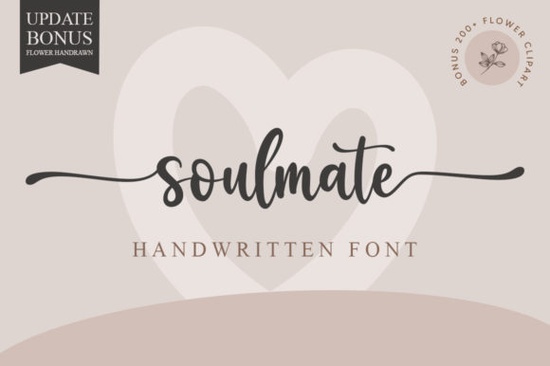
If you’ve been searching for a handwritten font that feels personal, graceful, and just a little bit romantic, the Soulmate Font might be exactly what your next project needs. It’s especially useful if you’re designing wedding stationery, greeting cards, or branding materials that call for soft, flowing letterforms. The kind of script that doesn’t feel stiff or corporate but still holds up beautifully in print and digital formats.
What makes this font stand out is how naturally it flows. Each character connects with subtle elegance, making it ideal for quotes, logos, or even packaging where you want to convey warmth and intimacy. And because it’s PUA encoded, you won’t need to dig through layers of glyph panels or install extra software to access all the swashes and alternate characters. Everything’s right there in your font menu whether you’re using Adobe Illustrator, Canva, or Silhouette Studio.
Who should use Soulmate Font?
This isn’t just for professional designers. If you run a small Etsy shop selling custom mugs or printable wall art, this font adds instant charm without requiring advanced typography skills. Crafters who make vinyl decals or planners will find the ligatures and flourishes easy to work with. Print-on-demand sellers can layer it over photos or backgrounds without losing legibility. Even hobbyists creating birthday cards for friends will appreciate how effortlessly it elevates simple designs.
It pairs well with clean sans-serifs for contrast think pairing it with something like Ashley Southine for headers while keeping body text minimal. Or try combining it with Pink Vibes Duo if you’re going for a playful, feminine vibe. For dessert-themed projects, Sweet Cupcake offers a fun counterpoint, while Front Picture gives you bold display options when you need headlines to pop.
How does PUA encoding help me?
PUA stands for Private Use Area basically, it means all the special characters (like swashes, alternates, and stylistic sets) are mapped directly into accessible slots in your font library. No need to toggle OpenType features or switch between different font files. You can type normally and still get beautiful variations by simply selecting from your dropdown or using keyboard shortcuts.
- Swashes: Perfect for adding flair to the first or last letter of a word.
- Alternates: Swap out repetitive letters so “hello” doesn’t look robotic.
- Ligatures: Automatically connect certain letter pairs for smoother flow.
If you’ve ever used other handwritten fonts and gotten frustrated trying to activate fancy extras, this one removes that friction. That’s especially helpful if you’re batch-producing items or teaching others how to use design tools.
Where does it work best?
You’ll see the biggest impact when using Soulmate on:
- Wedding invitations – The delicate curves feel formal yet intimate.
- Thank-you cards – Adds a personal touch that printed fonts often lack.
- Logo mockups – Especially for boutiques, bakeries, or lifestyle brands.
- Social media graphics – Overlays on photos or quote templates shine here.
- Business cards – A little flourish goes a long way in making them memorable.
Just avoid using it at very small sizes or in all-caps for long paragraphs like most scripts, readability drops when pushed too far. Stick to titles, short phrases, or accent text, and you’ll keep things looking polished.
Any tips before downloading?
Before you grab the file, consider what format you need: OTF works across most platforms and retains full PUA support. TTF is fine too, but double-check compatibility if you’re working in older software. Also, take a minute to preview how the font renders in your preferred app some programs handle connected scripts better than others.
If you enjoy the relaxed, hand-lettered style of handwriting fonts, you might also like browsing similar options in Creative Fabrica’s script collection. They update frequently, and bundles often include complementary weights or matching dingbats.
Pro tip: When layering Soulmate over busy backgrounds, add a subtle stroke or shadow to improve contrast. A 1pt white outline usually does the trick without overpowering the design.
Next step: Try it in context
Open your favorite design tool and test Soulmate with real content maybe a mock invitation, product label, or Instagram story. See how it behaves with your usual workflow. Does it slow you down? Enhance your message? Fit your brand voice? Sometimes the best way to know if a font is right for you is to throw it into action.
And remember great typography isn’t about having the fanciest font. It’s about choosing the one that helps your message land with feeling. In that sense, Soulmate doesn’t shout. It whispers beautifully.
Get Started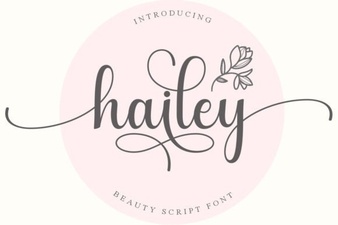 Hailey Font for Clean, Modern Designs
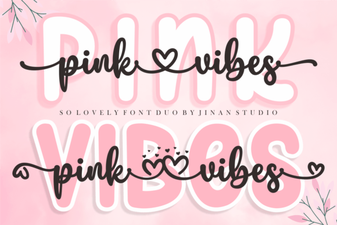 Pink Vibes Duo Font: Elegant Design & Creative Pairings
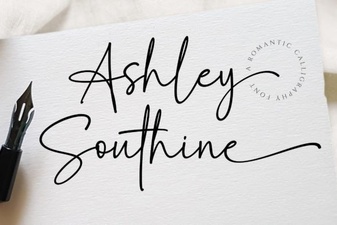 Download Ashley Southine: a Creative Serif Font
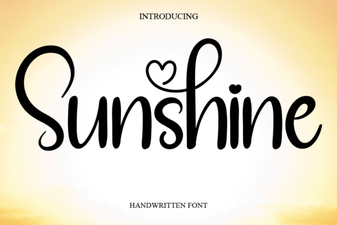 Illuminate Projects with Sunshine Font Design
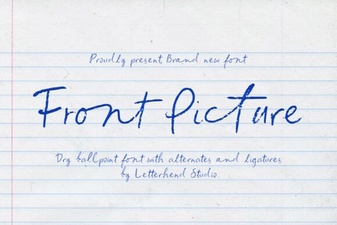 Choosing Front Fonts for Picture Frame Projects
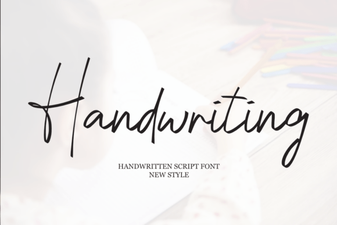 Designing with Personal Style: Handwriting Font Projects