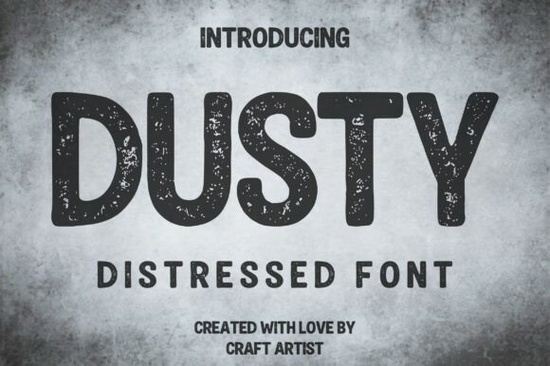
If you’ve been searching for a display font that feels like it’s been pulled straight from an old workshop or screen-printed onto a well-worn band tee, Dusty Font might be exactly what you need. It’s not just another distressed typeface it’s built with intentional texture and weight that reads clearly even at large sizes, making it surprisingly versatile for both digital and physical projects. Whether you’re designing merch, branding a local coffee roaster, or laying out a grunge album cover, this font brings grit without sacrificing legibility.
What makes Dusty Font different from other distressed fonts?
Many distressed fonts rely on overlays or separate texture layers to create that worn look. Dusty Font bakes the roughness right into each character. The result? A cohesive, authentic feel that doesn’t require extra steps in your design software. The letters are all-caps with slightly rounded corners and a sturdy, blocky silhouette think vintage stamp meets industrial stencil. You can use it confidently in headlines, logos, or packaging without worrying about the texture overpowering the message.
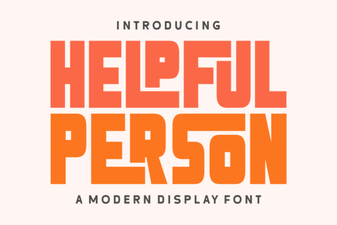
It pairs especially well with clean sans-serifs or hand-drawn scripts if you’re building layered designs. For example, try combining it with something like Helpful Person for contrast one brings the grit, the other adds approachability.
Where should I use this font?
Dusty Font shines in projects that want to communicate authenticity, heritage, or toughness. Here are a few real-world uses that designers and small business owners love:
- T-shirt and apparel design Especially for outdoor brands, music merch, or anything with a handmade vibe.
- Craft beer or coffee shop branding Labels, menus, chalkboard signs, or social media graphics.
- Event posters or album art Perfect for punk, metal, folk, or indie genres where texture matters.
- Rustic signage or packaging Farmers markets, artisan goods, woodworking shops, or adventure gear.
If you’re running a print-on-demand store, this font can help your products stand out with minimal effort. Just drop it into your mockup, add a subtle background texture or faded color, and you’ve got instant vintage appeal.
How does it compare to similar fonts on Creative Fabrica?
There’s no shortage of display fonts with personality, but Dusty holds its own. Where Summer Chunky leans playful and bold, Dusty goes darker and more grounded. If you’re after something juicier and brighter, Juicy Lemon delivers fun energy but not the same weathered credibility. And while Moment Request offers modern minimalism, Dusty is all about embracing imperfection.
You can explore how it stacks up visually by checking out the official listing: Dusty Font.
Any tips for getting the most out of this font?
A few practical ideas to keep in mind:
- Don’t overdo the size. While it’s readable, extremely small applications (like fine print or tiny icons) won’t showcase the texture well.
- Pair with neutral backgrounds. Let the font’s texture breathe avoid busy patterns behind it.
- Adjust letter spacing slightly. A little extra tracking can enhance readability and give your layout more air.
- Try it in monochrome first. Black or white on kraft paper, concrete gray, or faded denim tones really let the distressing pop.
Also, remember that while Dusty Font looks great solo, layering it with a complementary script or clean sans-serif can elevate your design even further. Think of it as the “anchor” strong and textured while your secondary font adds contrast or softness.
Is this font beginner-friendly?
Absolutely. You don’t need advanced design skills to make Dusty Font work for you. Most design tools Canva, Photoshop, Illustrator, Affinity, or even Silhouette Studio handle OTF and TTF files smoothly. Install it once, and it’ll show up in your font menu like any other. No plugins, no special brushes, no masking tricks required.
If you’re new to typography, start by using it for single words or short phrases. “OPEN,” “HANDMADE,” “EST. 1987,” or your band’s name these kinds of uses let the font do the heavy lifting without overwhelming your layout.
Quick checklist before you start:
- ✅ Download and install the font file correctly (check your system’s font folder).
- ✅ Use it at medium to large sizes for best texture visibility.
- ✅ Avoid placing it over complex backgrounds unless you add a solid backdrop behind the text.
- ✅ Experiment with opacity or blending modes if you want to soften the effect slightly.
- ✅ Save a backup of your project before flattening or exporting always good practice!
Whether you’re refreshing your shop’s branding, creating merch for your next gig, or just playing around with personal projects, Dusty Font gives you that tactile, time-worn look without the hassle. Sometimes the right tool isn’t about flash it’s about feeling real. This one does.
Download Now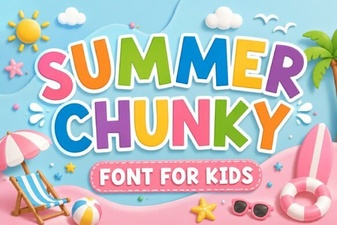 Summer Chunky Fonts for Bold & Creative Designs
 Lemon Font: Creative Uses in Modern Web Design
 Helpful Person Font Designs for Creative Projects
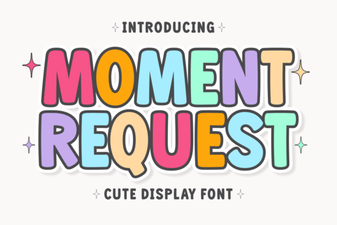 Modern Type: the Moment Request Font Guide
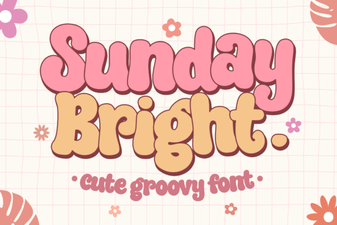 Sunday Bright Font: Creative Ideas & Design Tips
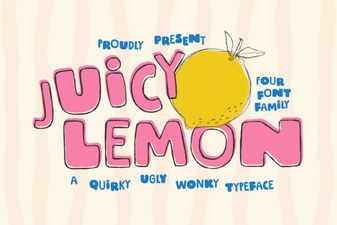 Juicy Lemon Font for Creative Web Projects